> For the complete documentation index, see [llms.txt](https://wibuz.gitbook.io/docs/llms.txt). Markdown versions of documentation pages are available by appending `.md` to page URLs; this page is available as [Markdown](https://wibuz.gitbook.io/docs/cach-cai-tools/soroka-stella-sora.md).

# Soroka - Stella Sora

## Bước 1:

Tải loader tại đây: [Click](https://files.catbox.moe/93cywu.zip)

Tắt Windows Defender và Antivirus trên máy.

## Bước 2:&#x20;

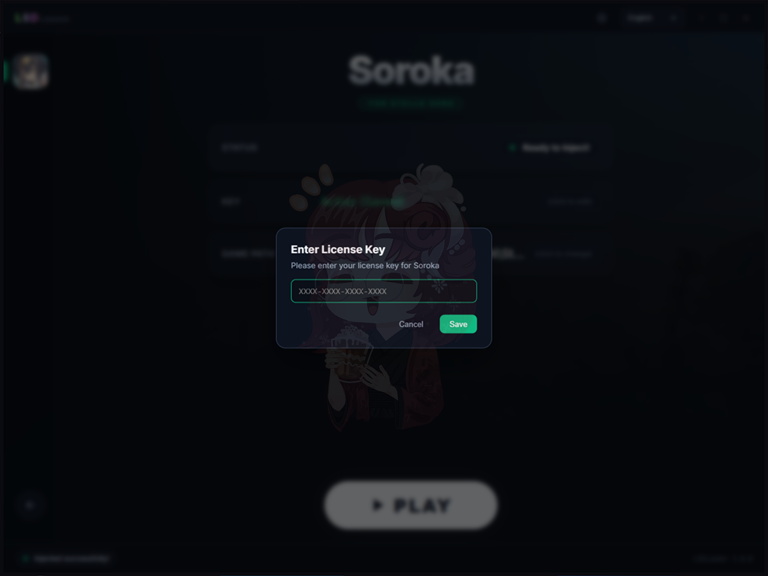
Mở Loader và nhập key đã mua vào. Sau đó click **`Save`**

<figure><img src="https://2186736524-files.gitbook.io/~/files/v0/b/gitbook-x-prod.appspot.com/o/spaces%2F8kVmtYXcpH6UvBGGvd0F%2Fuploads%2F0uTcw5dqs2xFnvhcVlgK%2Fimage.png?alt=media&amp;token=1872f26c-40f9-41b5-b0d2-3b8b391b9553" alt=""><figcaption></figcaption></figure>

## Bước 3:

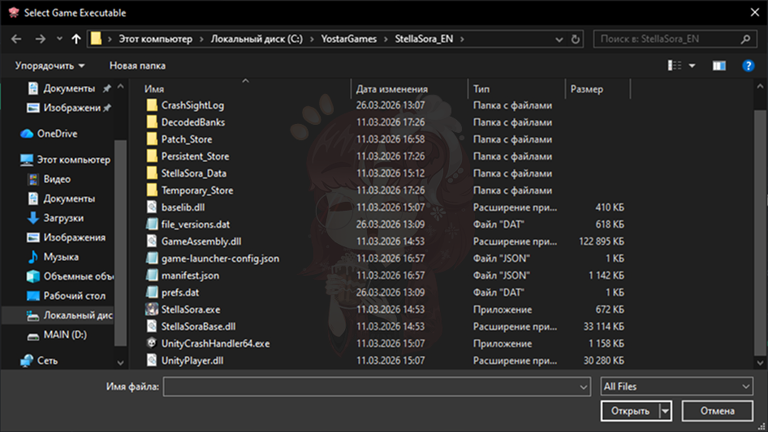
Chọn đường dẫn tới file game <mark style="color:red;">**`StellaSora.exe`**</mark> trên máy bạn

<figure><img src="https://2186736524-files.gitbook.io/~/files/v0/b/gitbook-x-prod.appspot.com/o/spaces%2F8kVmtYXcpH6UvBGGvd0F%2Fuploads%2FIUPZAp2MrdUGVJETNl03%2Fimage.png?alt=media&amp;token=49436106-5f0d-47c4-a6aa-b520e7f35d74" alt=""><figcaption></figcaption></figure>

## Bước 4:

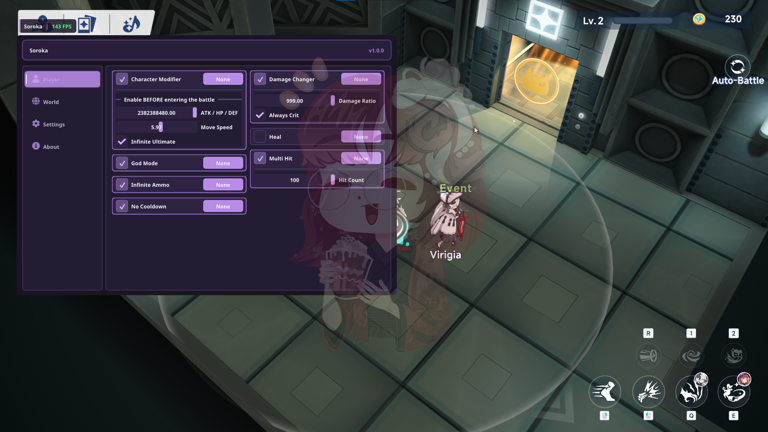
Click nút **`PLAY`** và đợi game khởi chạy.

<figure><img src="https://2186736524-files.gitbook.io/~/files/v0/b/gitbook-x-prod.appspot.com/o/spaces%2F8kVmtYXcpH6UvBGGvd0F%2Fuploads%2FpV7SYOa2wbFzpRZrAcEY%2Fimage.png?alt=media&amp;token=7490f98d-ba56-4f07-aaa2-9a3d068a386e" alt=""><figcaption></figcaption></figure>

{% hint style="warning" %}
Tắt tính năng <mark style="color:$success;">**`NVIDIA Frame Generation (DLSS)`**</mark> **để menu hoạt động chính xác.**
{% endhint %}

Ẩn/Hiện menu sử dụng phím <mark style="color:red;">**`F12`**</mark>